
A configuration management database (CMDB) is the central directory of your IT. It contains the configuration items (CIs), such as servers, clients, software, licences and cloud resources, and shows how they are connected. But it only delivers value if the data is correct, and that is exactly where many CMDBs fail.
Why does a CMDB go out of date so quickly?
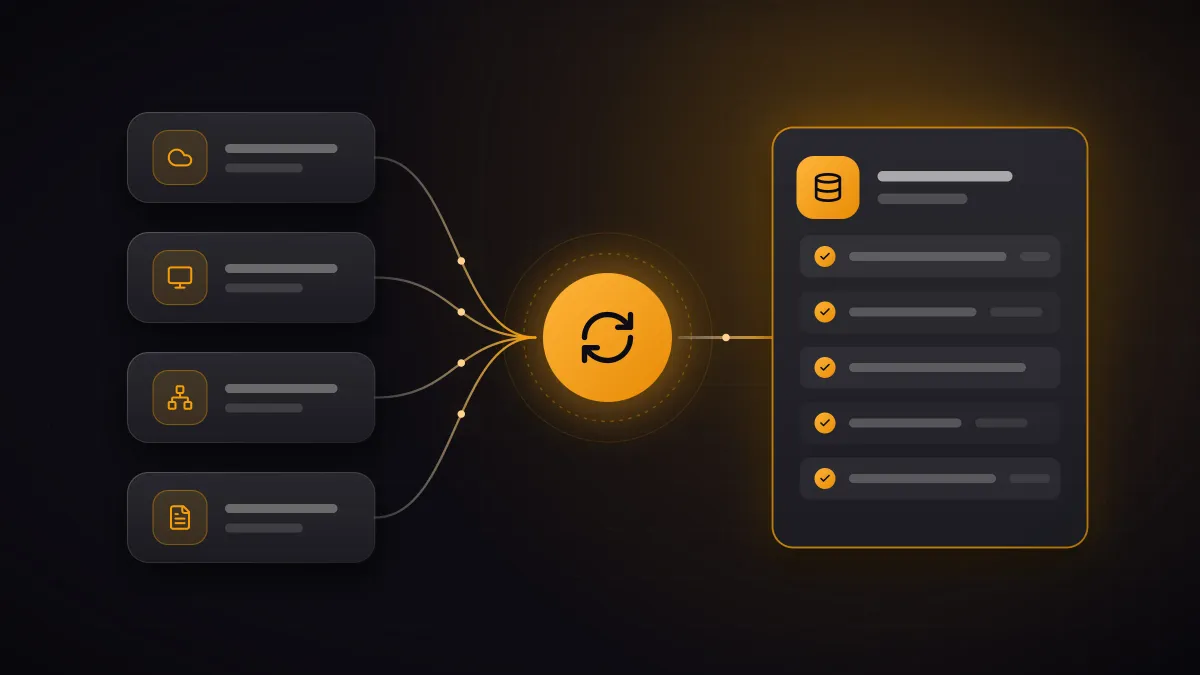
The data in a CMDB does not originate in the CMDB but in many other systems:
- Directory services such as Microsoft Entra ID know users and devices.
- Endpoint management such as Microsoft Intune or baramundi knows installed hardware and software.
- Network monitoring such as Observium knows switches, routers and firewalls and sees what is actually connected to the network.
- Virtualisation and cloud platforms know which servers and resources are currently running.
- Backup and security tools show what is backed up and protected and where vulnerabilities are open.
- ERP and purchasing know contracts, licences and acquisitions.
- HR systems know who is joining and who is leaving the company.
- Manufacturers state the warranty end for every serial number.
Anyone who transfers this information by hand cannot keep up. Every discrepancy costs trust, and a CMDB that nobody trusts stops being used.
Which data belongs in the CMDB?
Not everything that can be captured technically. It starts with the question of which processes the CMDB should support: incident and change management need the dependencies between systems, licence management needs contracts and installations, and information security needs a complete asset inventory. This determines the data model and which system is the authoritative source for which attribute.
How does automated maintenance work?
An integration platform such as Frends takes care of the ongoing reconciliation:
- Collect data: Frends agents read the source systems where they run: on-premises, hybrid or in the cloud.
- Merge: records from different sources are matched to the same CI, for example by serial number or host name.
- Reconcile: duplicates are resolved, values normalised and conflicts decided according to fixed rules.
- Link and write: CIs and their relationships are written to the target system, scheduled or event-driven.
This keeps the CMDB up to date without anyone maintaining spreadsheets.
What does comparing several sources reveal?
Merging sources also shows what none of them reveals on its own:
- devices that appear on the network but are missing from endpoint management
- servers without a recent backup
- devices without antivirus protection or with open vulnerabilities
- accounts, licences and devices of employees who have left the company
This turns the inventory into a list of concrete tasks.
Jira Assets or another system?
Jira Service Management Assets is the obvious choice if your service desk already runs in Jira. But the approach does not depend on the target system: Frends writes the data to other CMDB and ITSM solutions just as well.
What does this mean for ISO 27001 and NIS2?
ISO/IEC 27001:2022 requires an inventory of information and other associated assets (Annex A, control 5.9). The NIS2 directive also explicitly lists asset management among its risk-management measures. An automatically maintained CMDB keeps this inventory current at all times instead of once a year shortly before the audit. The discrepancy lists from the comparison also show where measures are missing, for example for backups, which NIS2 also names explicitly.
How to get started
- Define the processes and questions the CMDB should answer.
- Identify the source systems and the authoritative source for each attribute.
- Start with a few sources, sharpen the reconciliation rules and then expand.
We support you from consulting to operation. See CMDB & data integration for more.
Frequently asked questions
Do we need Jira Assets for this? No. We feed the CMDB you use or plan to use, whether Jira Service Management Assets or another solution.
How current is the data? Synchronisation runs on a schedule or event-driven, depending on what the source systems offer.
Does the data have to go to the cloud? Not necessarily. The Frends agents run where your systems are, including on-premises in your network.